



Insights ·
Integrating AI with a Legacy ERP: What to Check Before You Start
In most established companies, the ERP is where business operations come together. Orders, stock, prices, customers, and invoices all flow through it, often in a system implemented years ago and adapted over time to changing business needs. When introducing AI to detect unusual orders, forecast demand, or spot operational patterns, the system needs reliable access to that data, often in large volumes. Replacing the ERP is rarely realistic, and it shouldn't be a requirement for AI. What matters is understanding how the AI system will access the data it needs, whether the existing infrastructure can support that access, and what happens if the planned integration route fails.
By Margins team · 7 min read
How a two-week integration turns into two months
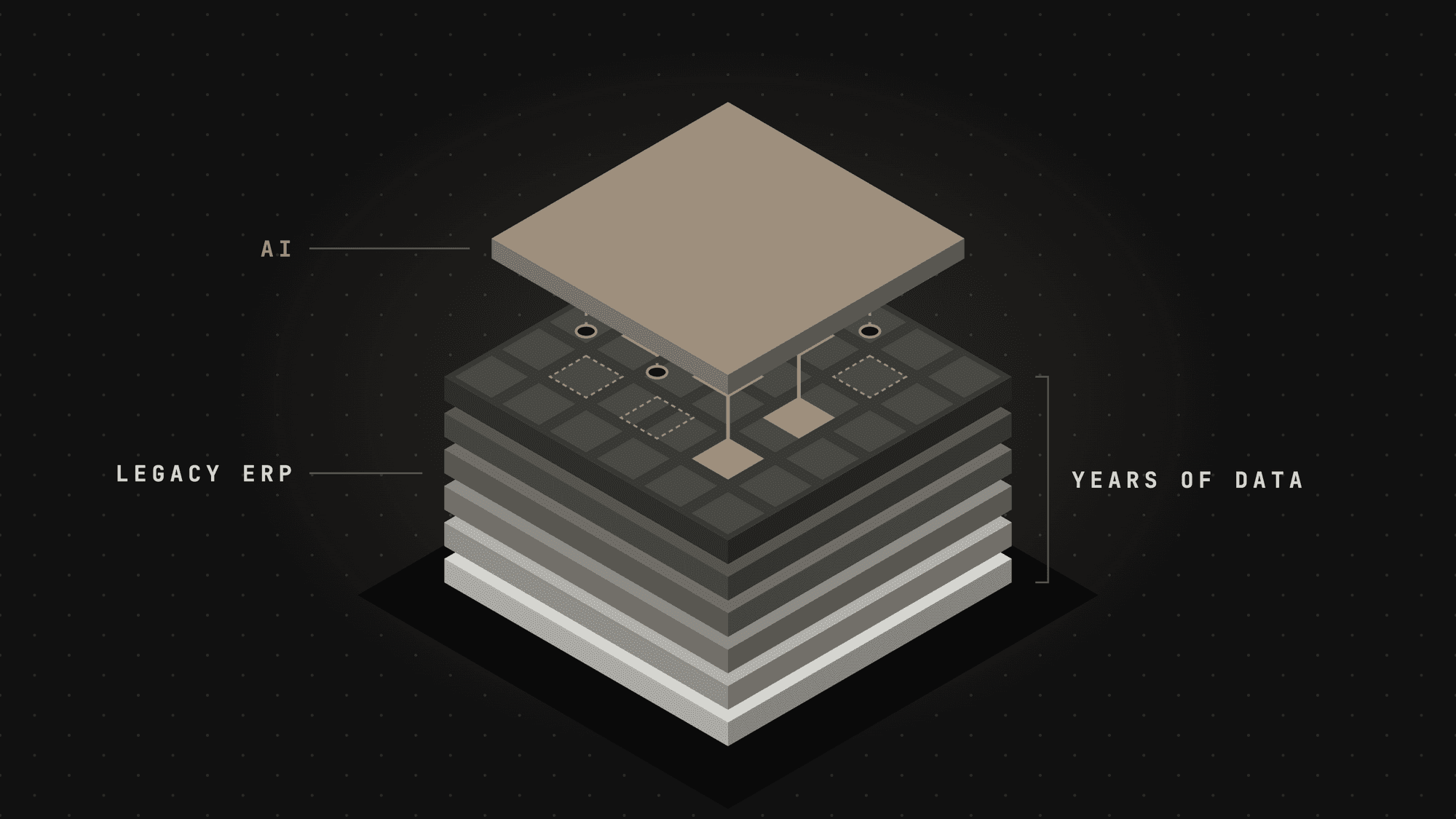
Consider a common scenario: an anomaly detection model designed to flag unusual patterns in transaction data. Before starting, everyone checks whether the required data exists and how far back it goes. The answer is reassuring: years of historical data, all stored in the ERP.
The plan is to connect through the ERP's API, with an initial estimate of two weeks for the integration.
Once data extraction starts, the main API endpoints work as expected. The trouble shows up with secondary requests the model also depends on. Some return empty responses, while others put too much load on the server. Daily business operations aren't affected, but the model can't get all the data it needs.
Resolving this requires working with the ERP vendor to make changes on their side. A two-week estimate easily turns into a two-month process.
The data is there, and the use case makes sense. The bottleneck is getting reliable access to it.

Why a working ERP can still be hard to integrate
An ERP can run everyday operations smoothly and still struggle when a new system needs to pull large volumes of data.
Its main API endpoints are usually used regularly by other tools and tested under normal conditions. Less common endpoints are often a different story. They may have been built years ago, rarely called since, and never tested for the volume and frequency needed to extract years of history.
These limits often surface only when an integration starts asking for data at a scale that routine ERP traffic rarely creates.
That is why confirming the data exists is not enough. Data can sit safely in the ERP and still be hard to extract reliably.
Choosing how the AI reaches the data
There is more than one way to pull ERP data. The right choice depends on the system, the vendor, the data structure, and what the AI model needs. Two options come up most often.
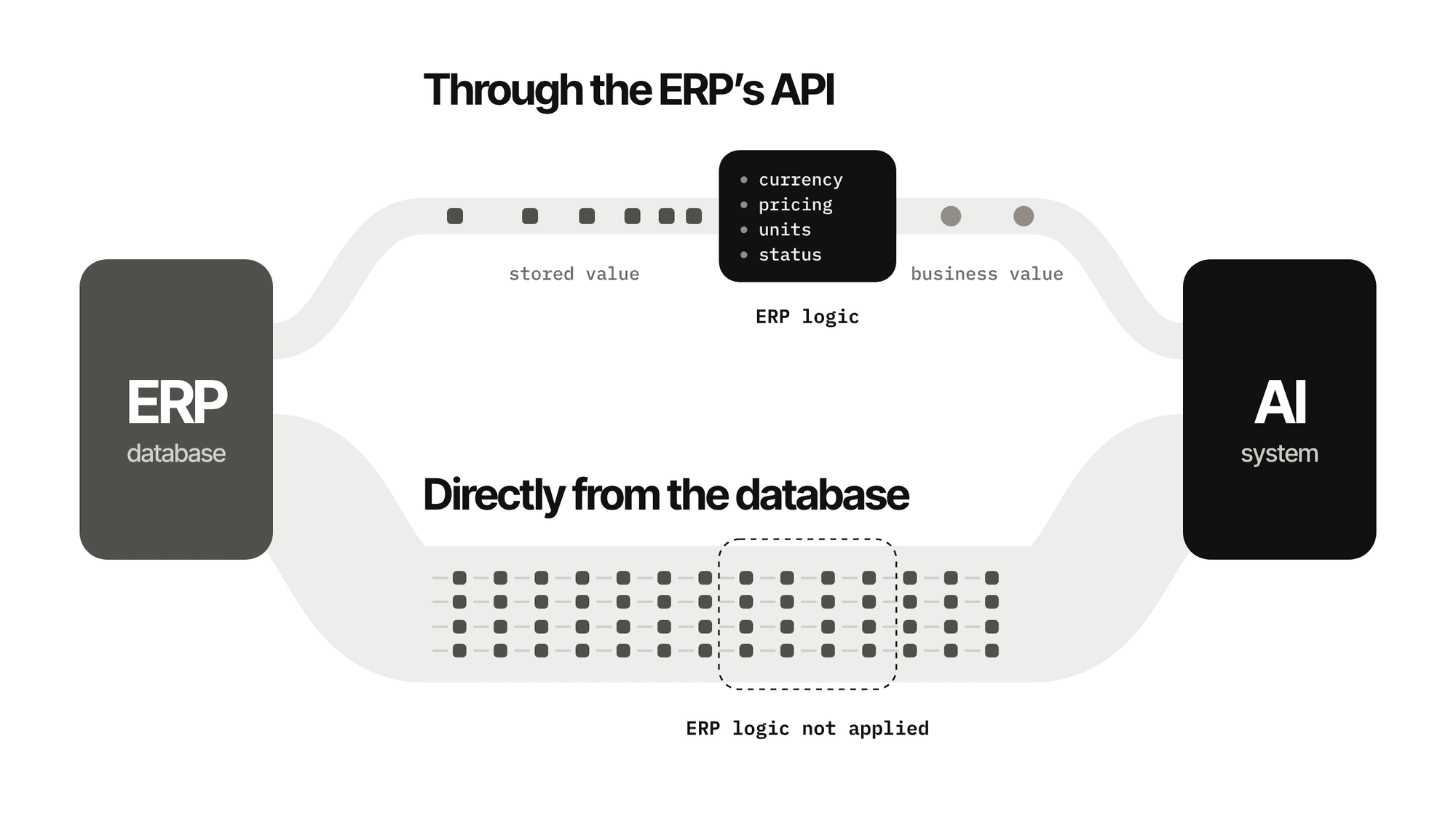
Through the ERP's API
An ERP's supported application API gives you an interface to pull data and, on many endpoints, apply its built-in business rules.
For example, the ERP may already apply currency conversions, pricing rules, units of measure, and status handling before data comes back. That lowers the risk of missing logic that lives inside the ERP.
The trade-off is reliance on the API's limits, performance, and how fast the vendor fixes issues. Waiting on vendor changes can easily add weeks to a timeline.
Directly from the database
When API access is slow or incomplete for large extractions, reading the underlying database directly is another option, provided the vendor supports it and access is tightly controlled.
It can pull large historical datasets faster and reduce reliance on API limits. The catch is that it bypasses the ERP's business logic.
Take a price field. A database might store a price in a base currency, while the ERP converts it, applies pricing rules, or adjusts it before showing it on screen. A direct query pulls the stored value without those steps. The number looks valid in the database, but it is wrong for business use.
To make direct database access reliable, you have to map and document which fields the ERP transforms, how those rules work, and where they run. Once mapped, direct access can work well on its own or alongside an API.
The choice isn't strictly between an API and a database. Data warehouses, ETL pipelines, or read replicas can also fit depending on the ERP and the use case.
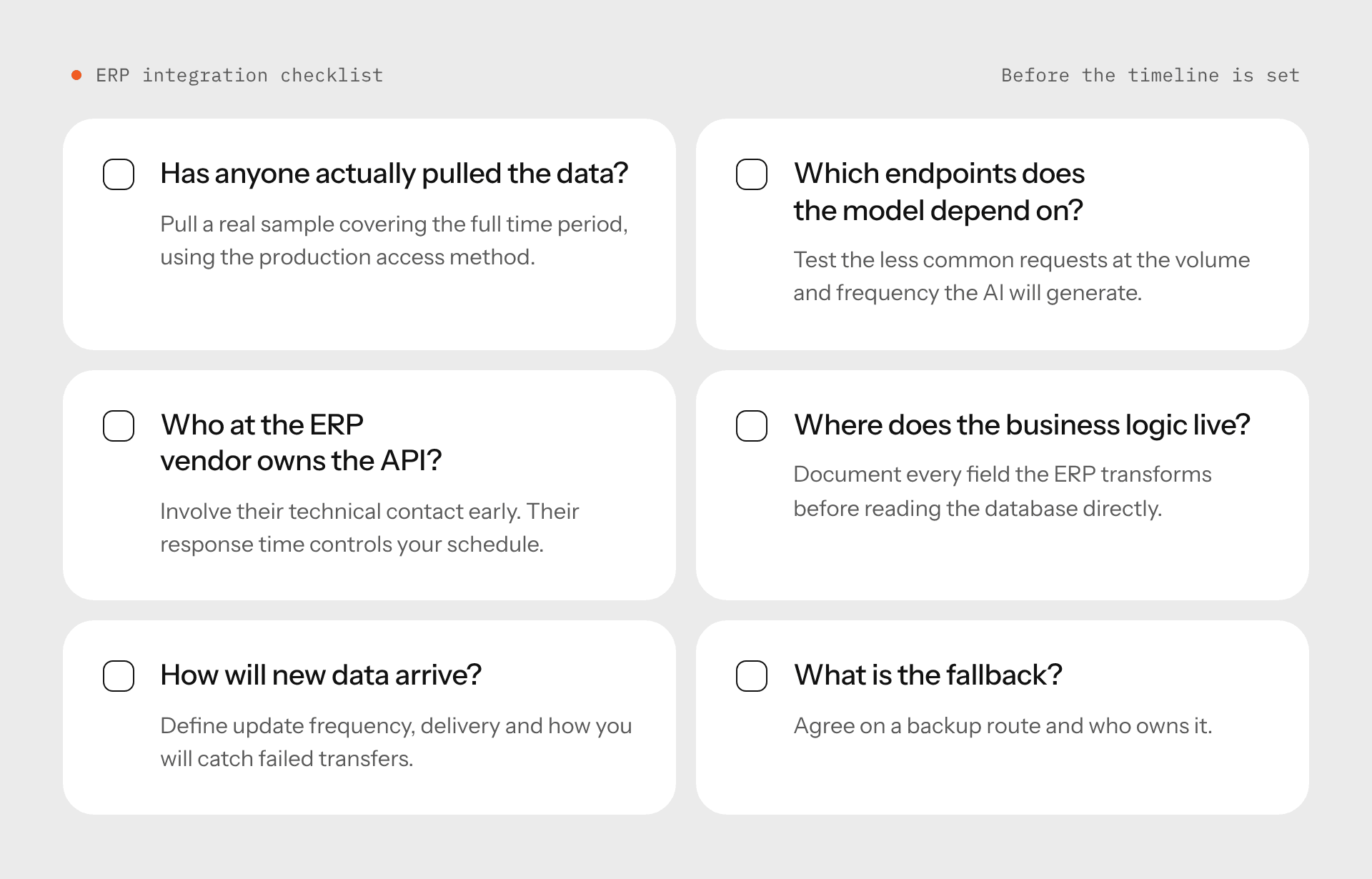
Before locking in a timeline, go through this checklist
You don't need a new ERP to use AI
You don't have to replace a legacy ERP to build AI on top of it. You do need to inspect how it exposes data, where its business logic lives, and whether it can handle the load.
Often, the blocker isn't the data itself or the model. It is getting reliable access to what the model needs. Spotting those limits early is what keeps a two-week integration from dragging on for months.
If you are planning an AI project on top of an existing ERP, we can help assess your integration options and flag potential bottlenecks before development starts. Reach out to discuss your project.